
Change Your NetID Password
This article applies to: NetIDs , Security & Policy
If you use a Cornell-managed computer or device, also review the information below step 4 before you start.
Change your NetID Password
To change your password:
- On the Manage Your NetID web page, click Change your Password. If prompted, log in through CUWebLogin with your NetID and password as you normally would.
On the Choose a New Password for Your NetID page, type your Current Password, then type your new 16-character passphrase in the New Password and Confirm New Password fields. (See Create a Strong Passphrase for requirements and tips.)
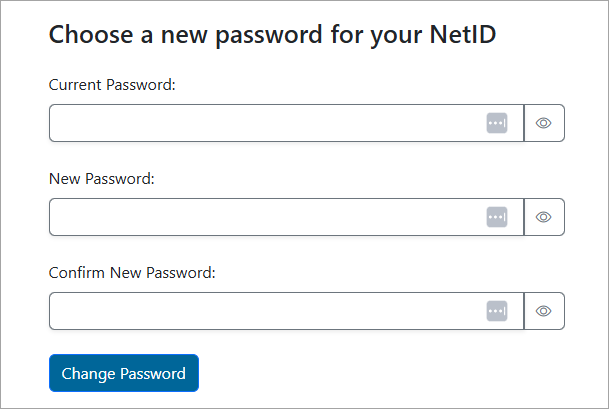
The Change Your Password page includes a summary of the password rules, with links for further help and information. For more about strong passwords, visit Create a Strong Passphrase for your Device, NetID, and Other Cornell Services.
- Click Change Password. A message will tell you whether your password change was successful. If not, the message will explain what's wrong and you can retry changing your password.
- You may need to sign back into different Cornell IT services. Learn more at What Happens After a NetID Password Change.
If you use a Cornell-managed computer or device, review the following to make sure it syncs its local sign-in passphrase (the one you enter when you start your computer) with your new passphrase.
- On Cornell-managed Windows devices, connect to the Cornell network if you are on campus or CU VPN if you are off campus before changing your NetID passphrase. If you don't, you'll need to use your old password for the device until the next time you connect to Cornell wired or Wi-Fi networks or run CU VPN, when the system will attempt to get your device synced to the new password.
- On Cornell-managed Mac devices with JAMF Connect installed, the Mac sign-in passphrase should prompt you to sync your new NetID passphrase. This will happen through a pop-up window with Cornell branding that asks for your email and NetID password, or a notification that takes you to Self Service+ to complete the sync.
- On older Mac devices that do not have JAMF Connect or if your device has not synced your sign-in passphrase with your NetID passphrase as you expected, you may need to contact your college or unit's IT support for assistance with this sync.
Set a Recovery Email Address
All Cornell account holders should set up a secure, non-Cornell email address where they can receive an email that provides a special link to reset a forgotten or lost Cornell NetID password. See set a NetID Recovery Email Address.
Comments?
To share feedback about this page or request support, log in with your NetID