
Microsoft Forms in Teams
This article applies to: Microsoft Teams , Surveys Lite (Microsoft Forms) , Surveys
If you would like to include surveys, quizzes, or polls in one of your teams, Microsoft Forms may provide what you're looking for.
Forms offers a variety of question types and lets you:
- See real-time results as they're submitted
- Use built-in analytics to evaluate responses
- Export results to Excel
See how to add Forms to Microsoft Teams.
Move a Form from your account to share with colleagues in Microsoft Teams.
After you have moved the form, you may need to add the Forms app to your team and add the app to a channel. To see how, visit Microsoft's Add an app to Microsoft Teams. When you search, choose the Forms app listed as being from Microsoft Corporation.
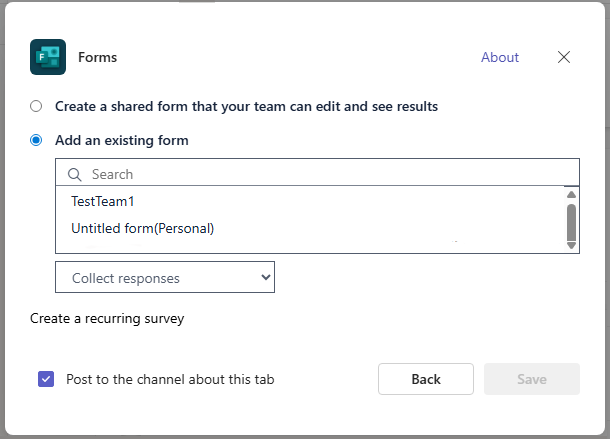
When adding the app, you'll need to choose then choose the form you just moved.
Comments?
To share feedback about this page or request support, log in with your NetID