
Use Two-Step Login When You're Going to be Without Wi-Fi or Cellular Service
This article applies to: Two-Step Login
You Do Not Have a Smartphone
If you do not have a smartphone and need to authenticate with Two-Step Login, your choices include:
- USB security key
- hardware token (if you use CU VPN, choose the hardware token)
You Have Duo and Your Smartphone
Sometimes you might have connectivity on a device, but no mobile service (for example, you work in a basement lab with no Wi-Fi/cell connectivity). In cases like this, you can generate a passcode on the Duo mobile app to log in to a Cornell service. To do so:
Start the login process on your Cornell service. When it prompts you to enter Duo code, select .
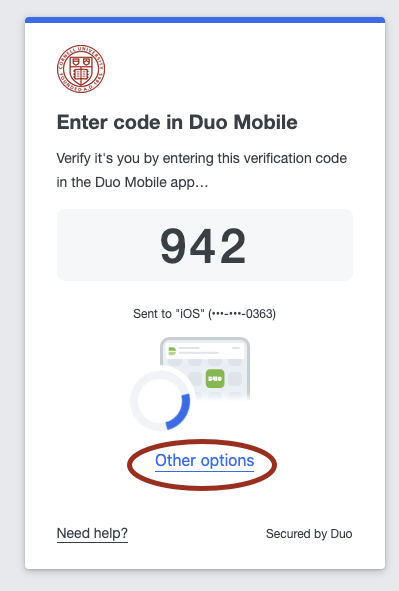
Select
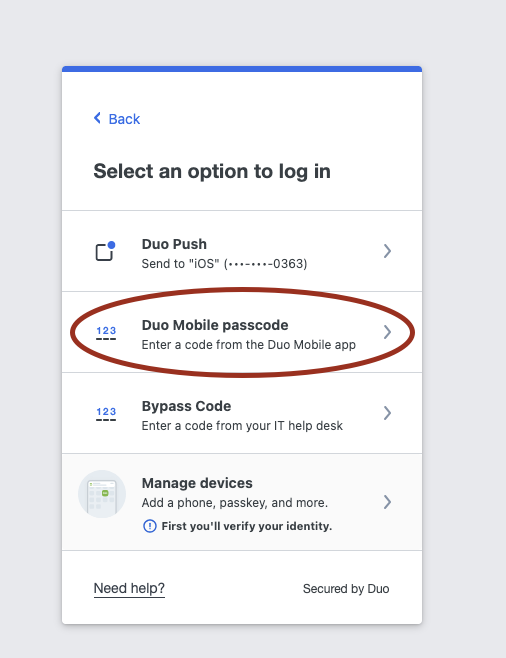
It will ask for a six-digit code.
Open Duo on your smartphone
Select the Cornell University account.
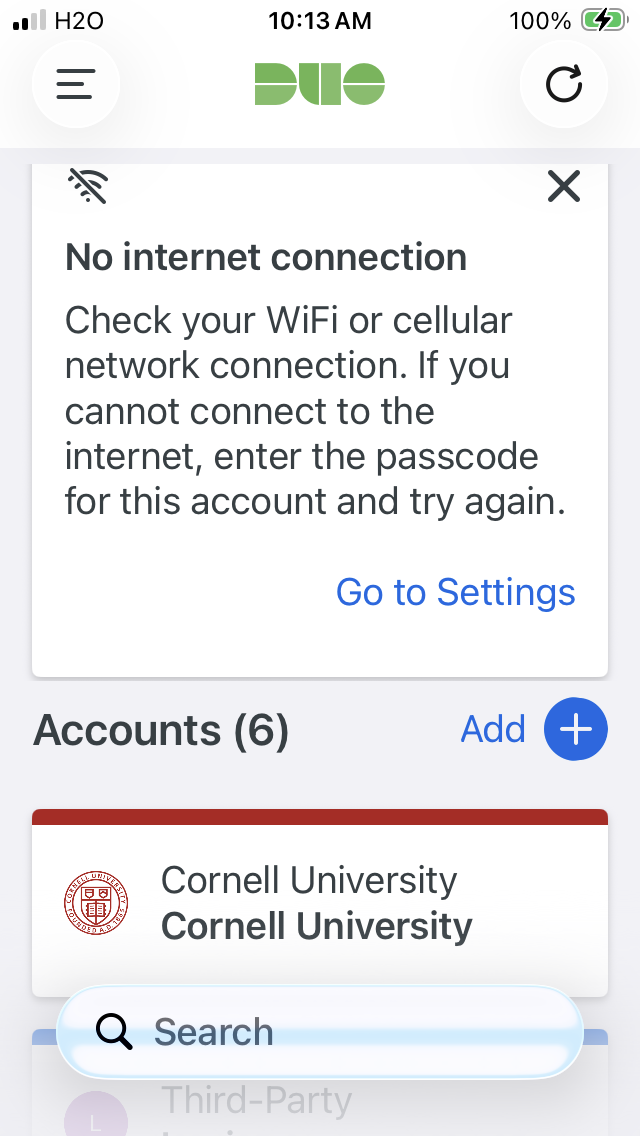
You will see a six-digit passcode. Enter this passcode in your web browser where you are logging in.
Need help with these options? Contact the IT Service Desk.
Comments?
To share feedback about this page or request support, log in with your NetID