
I had to reset my password and Secure Connect doesn't work
A password reset on a macOS device changes the account password without requiring the old password. This can cause the Secure Connect authentication process to break. Follow the steps below to fix your passkey on the affected device.
This article applies to: Secure Connect
This process applies if you...
- ...had to reset* your password on your macOS device, and
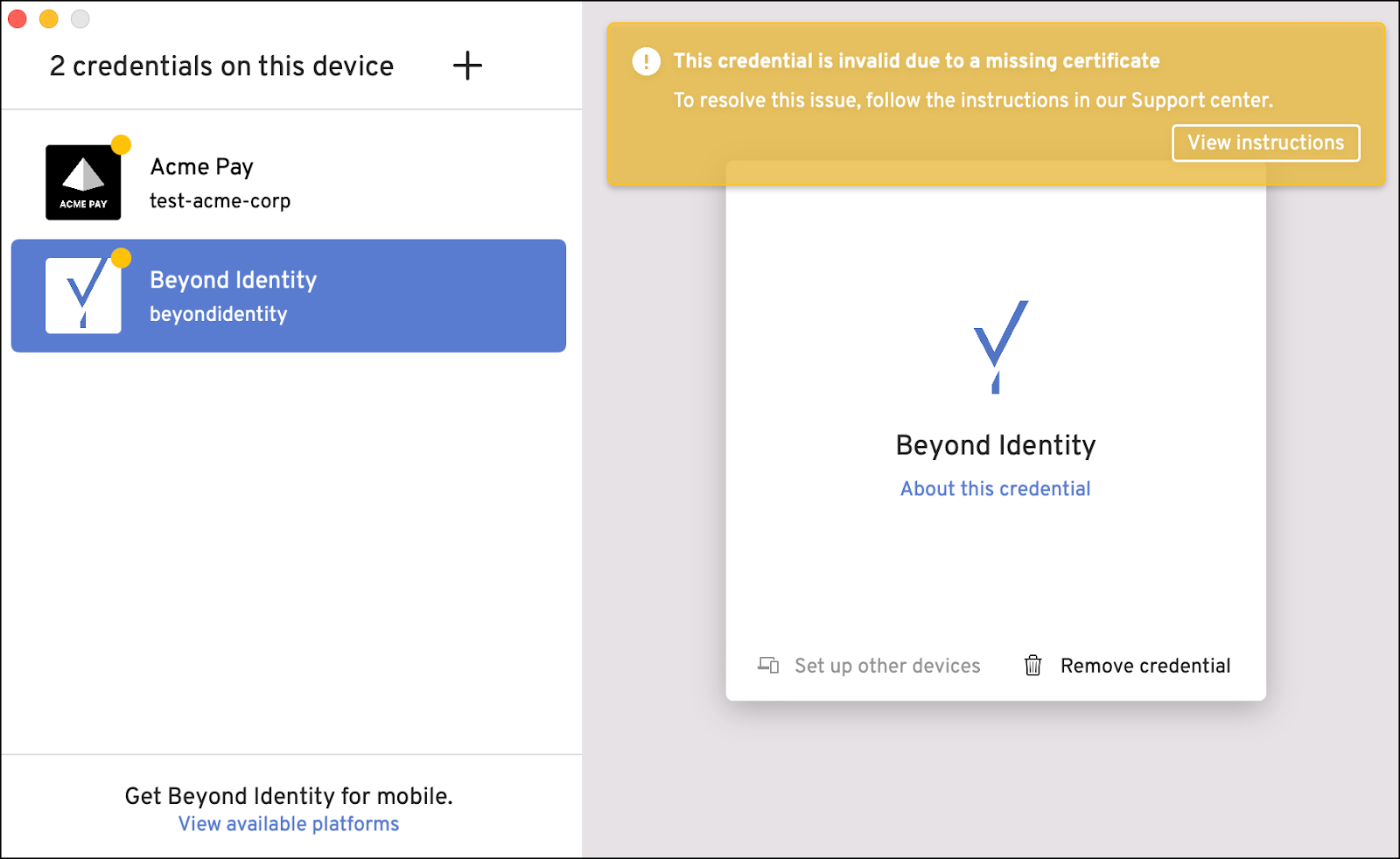
- see a "This credential is invalid due to a missing certificate" error when Beyond Identity opens.
*Resetting your password is technically different from changing your password. Most people won't have a problem when changing a password.
Step 1: Delete the Passkey On Your Device
- Open the Beyond Identity software.
- Select the existing passkey. (Look for the Cornell seal with a yellow dot marking it, indicating that the passkey is no longer valid.)
Select .
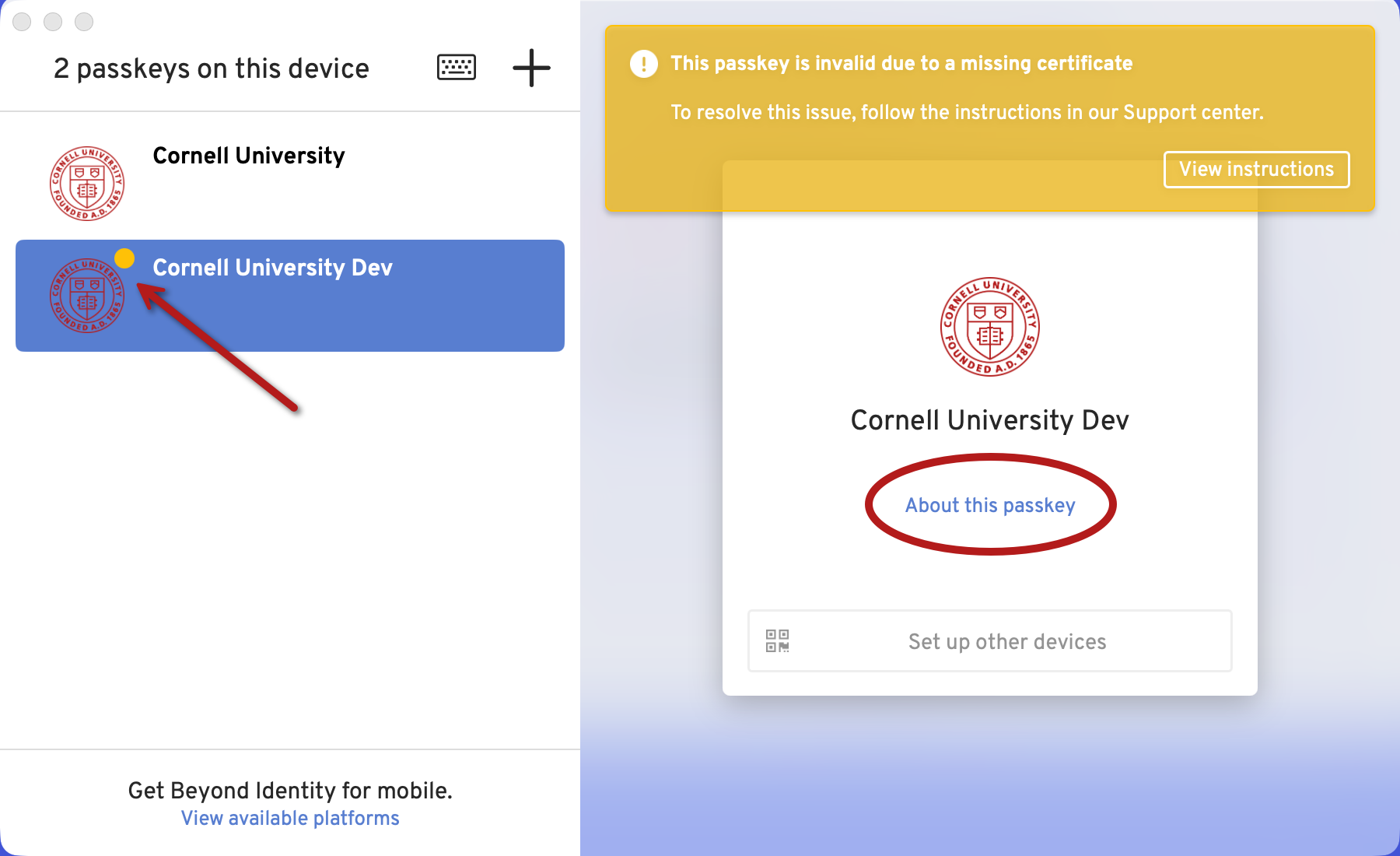
Select .
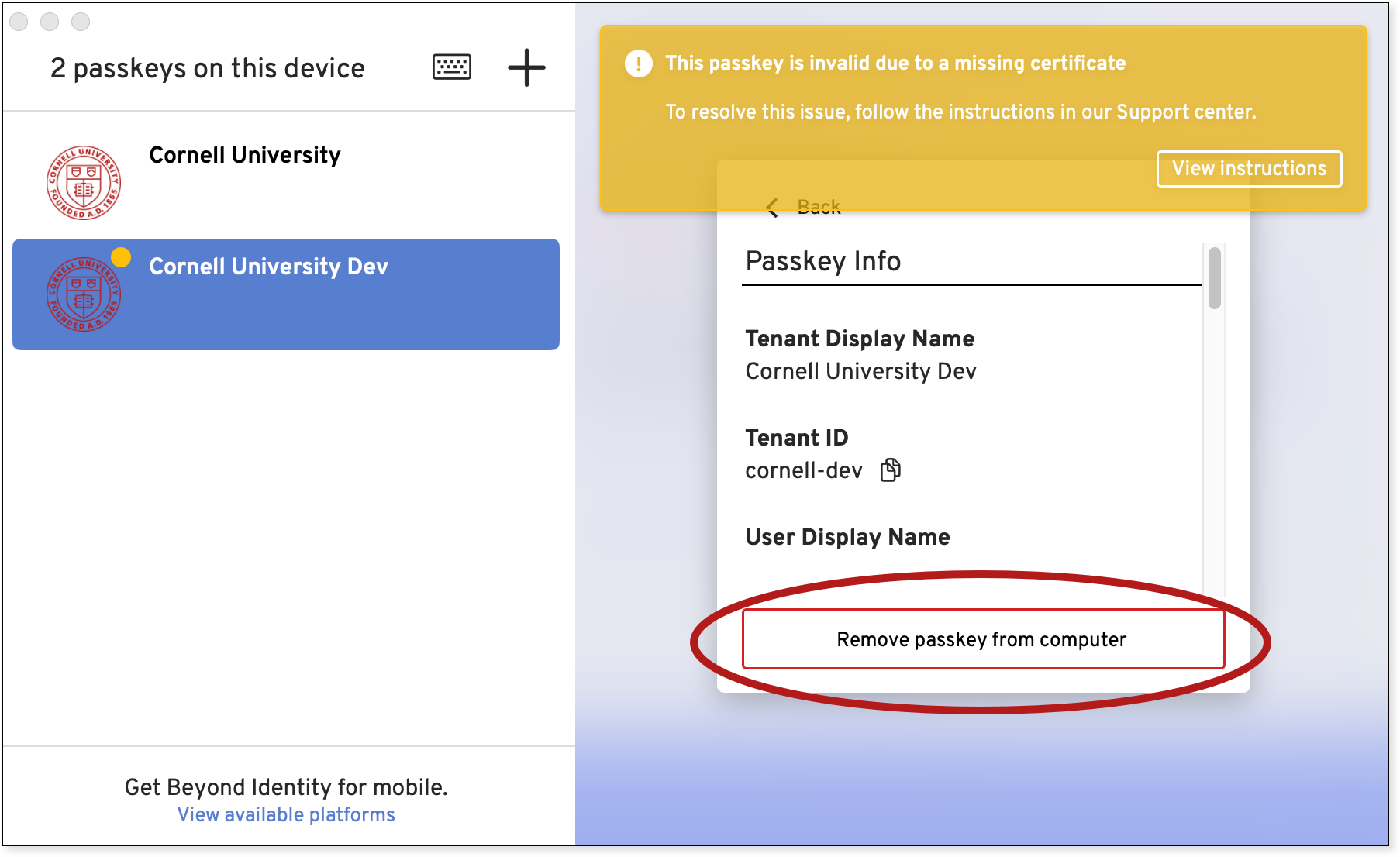
Your passkey will now be deleted.
Step 2: Add a New Passkey
I Have More Than One Device With A Secure Connect Passkey On It
If you have another device (phone, tablet, laptop, etc) already enrolled in Secure Connect you will need to use the other device to add a passkey to the one you are restoring. Follow these instructions. (The instructions below will not work for you.)
This is My Only Device With a Secure Connect Passkey
- Open the Beyond Identity Self-Service Portal in your browser. (Link opens in a new window.)
- Log in with your Cornell NetID and password (authenticate with Two-Step Login if prompted).
- Click the Register New Passkey button.
- Your browser may ask if you wish to allow Beyond Identity to be opened. Select always allow and open the application. This is required for the passkey to work correctly.
- If passkey enrollment is successful, Beyond Identity will open and show your newly created passkey.
- Close the Beyond Identity window.
- You have added a new passkey to your device.
Secure Connect should now work as expected.
Support Contact:
Cornell IT Service Desk
Normal Business Hours: Monday-Friday, 8am-6pm (Eastern Time)
Open a ticket (24x7 support)
Emergency Service Disruptions: After Hours Support
Comments?
To share feedback about this page or request support, log in with your NetID