
Latest News
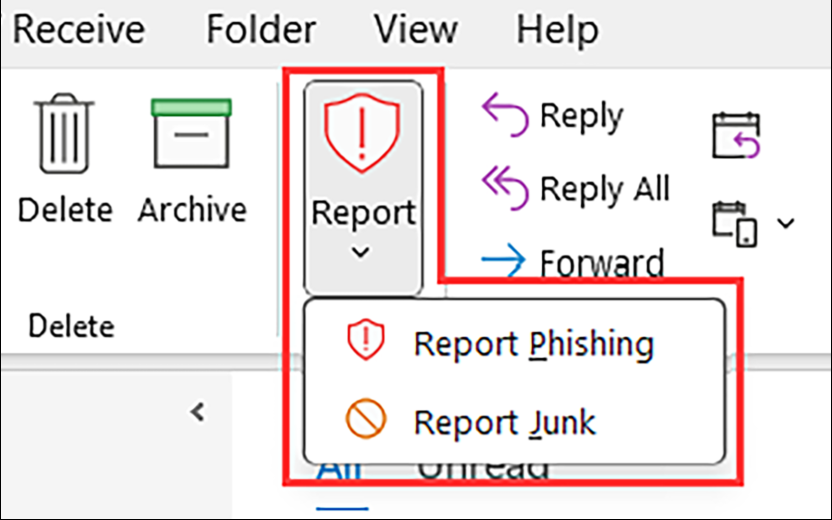
Reporting tools built into Outlook and Gmail facilitate the designation of junk and phishing emails. Behind the scenes, these built‑in reporting tools are more than cosmetic updates; they play an important role in improving both individual inbox management and overall email security.
Correctly distinguishing between junk and phishing is important. Junk identification helps fine‑tune spam filtering, while phishing reports trigger additional security reviews. Messages that feel urgent, unexpected, or request credentials or sensitive information are best reported as phishing.
Identify Junk before Trashing
When an email is reported as junk or phishing instead of simply deleted, that vendor’s email platform receives useful feedback. Over time, Outlook and Gmail use this information to more accurately identify and filter unwanted messages. This helps reduce inbox clutter, improves automated sorting features, and reduces the need for manual rules or ongoing cleanup.
Report Possible Phishing
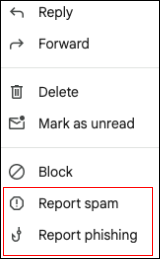
Reporting phishing messages offers additional protection. Flagging suspicious emails allows security systems to analyze potentially harmful senders, links, or attachments and can lead to faster blocking of similar messages across the organization. What appears to be a single, isolated email may be part of a broader attack; early reports can help limit exposure to others.
Using the built‑in reporting options is also more effective than forwarding suspicious messages or deleting them outright. These tools automatically capture technical details that security systems rely on, while keeping the reporting process quick and simple.
Overall, consistent use of junk and phishing reporting improves the email experience for individuals and contributes to a safer environment for everyone. When something looks suspicious, reporting is the most effective action to take.
PhishAlarm Retires May 29, 2026
Another option for reporting suspicious messages is the third-party tool, PhishAlarm.
Cornell community members can choose either PhishAlarm or the built-in reporting tools for Outlook or Gmail when flagging questionable messages until May 29, 2026, when PhishAlarm is retired in support of Resilient Cornell fiscal goals.
Comments?
To share feedback about this page or request support, log in with your NetID