
Latest News

By the end of August Zoom will make a significant change to the Zoom web portal interface, moving it toward the desktop look-and-feel. If you use the web interface to schedule your meetings and webinars, you can preview the changes today.
How to Preview
To get a feel for how the changes may affect your workflow, log in to Zoom on the web with your Cornell NetID. In the top right of the page, near your profile picture, look for the toggle labeled Try new experience. Toggle it on (to the right).

You can revert to the old style by moving the toggle to the left. (Once the change is finalized, this toggle will no longer be available.)
Overview of Changes
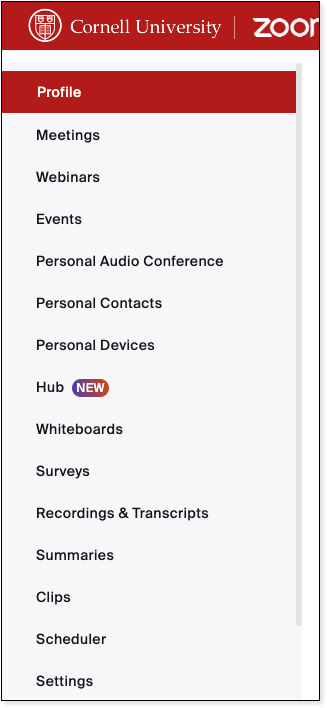
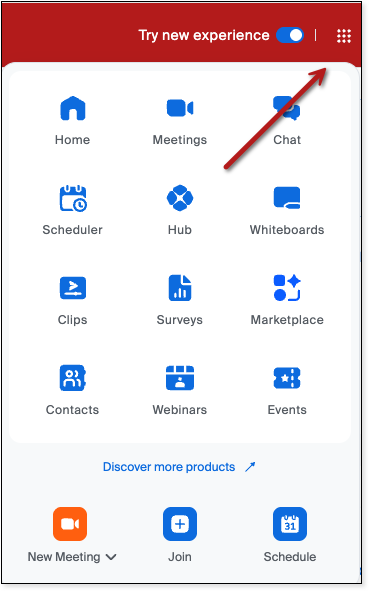
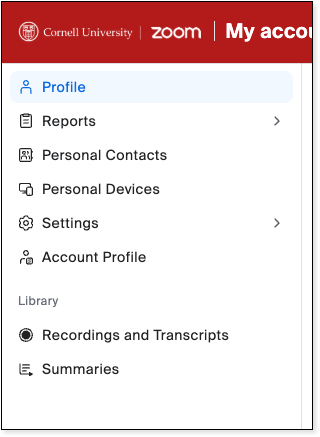
When you log in to the web-based Zoom portal, you will see a left-hand sidebar menu that offers most of the tools you use in Zoom. Most of these options will move to a nine-dot menu near your profile picture. The old menu location will focus on more personal options like contacts, devices, settings, and profile.
Current sidebar
New nine-dot menu
New sidebar
Comments?
To share feedback about this page or request support, log in with your NetID