
Latest News

Anyone using the Zoom desktop or mobile application should update to the latest version to receive recently released security fixes.
Who is impacted? If you join Zoom meetings by clicking a meeting link in Outlook, Teams, email, or a calendar invitation, or if you launch meetings from the Zoom application, you are likely using the Zoom app and should ensure your version is up-to-date.
No action is needed for the Zoom web portal. While meetings can be joined through a web browser, most people use the Zoom application because it launches automatically when they select a meeting link.
Zoom has published four security bulletins addressing vulnerabilities affecting Zoom clients and related products. Installing the latest available version ensures these security updates are applied and helps protect against potential security risks.
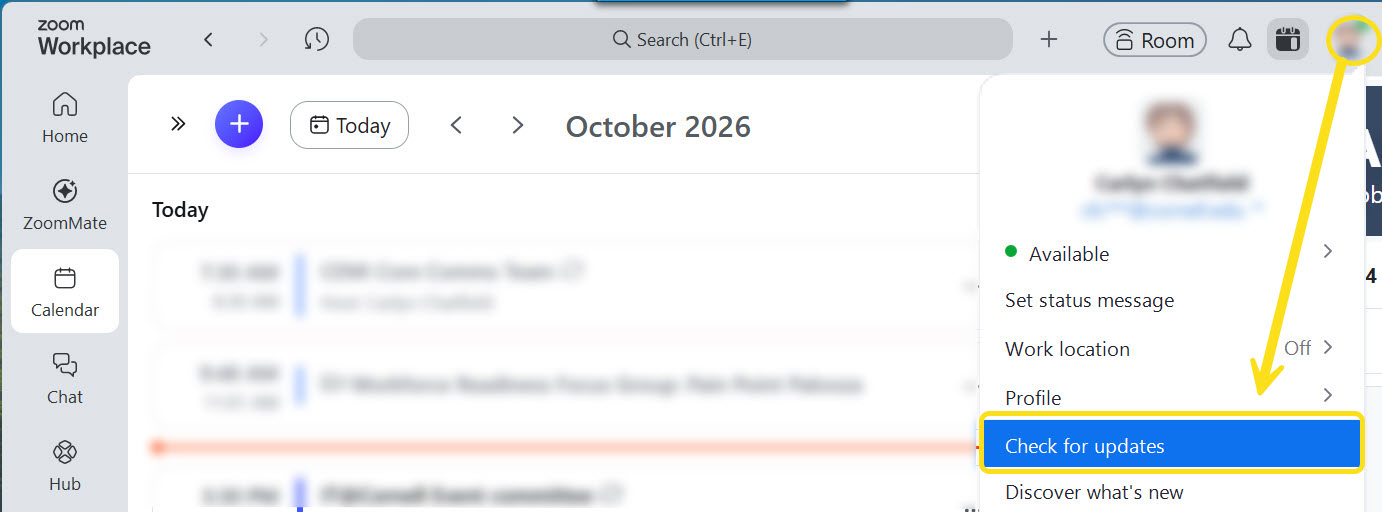
To update Zoom, open the application on your device, select your profile picture, and choose Check for Updates.
Additional details, including links to the individual security bulletins, are available on the Zoom Security Bulletin.
Comments?
To share feedback about this page or request support, log in with your NetID